Don't just take what I say here as fact, double check it yourself (especially with 256-color sprites because I don't have as much experience with it compared to 16-color sprites)! I've just written down what I've learned and/or can figure out, so I may have missed things!
For any ARM assembly code snippit, know that I use the Goldroad assembler, so the syntax may be different from what you're used to. That does not mean you also have to use it.
Right from the get-go, I should define a few things for you as not to get things confused. I will explain more as I go, but this is just a baseline.
There are other things, too, for programming on the GBA that you should know--like VRAM--but I won't define them here.
It would probably be nice to put memory locations for things as a quick reference here for later, too. So...
0x6000000-0x6017FFF0x6010000-0x6017FFF0x6014000-0x6017FFF0x7000000-0x70003FF0x5000000-0x50003FF0x5000000-0x50001FF0x5000200-0x50003FF (it might technically only go to 0x50003FE because of the sizes of the objects and parameters...)0x4000000-...? (I don't know what and where the last register used is...)I'll just kind of explain things in the order I tend to use when creating objects.
I like to start off with making the sprites and palettes just to get all the sizing and looks figured out first. You can use my tool to create them if you don't have another tool and don't want to make them by hand, but I will still go over how the palette and sprite data is laid out.
I'll cover 16-color palettes and sprites because I've never worked with 256-color palettes and sprites before on the GBA, so I won't cover them here (or at least for now).
Also, for this entire thing, unless otherwise specified, I will be treating it all as if I were to be using modes 0-2, so object character data in VRAM is at adresses 0x6010000-0x6017FFF. If you're using modes 3-5, I think the addresses would instead be 0x6014000-0x6017FFF.
Palettes are easy.
Colors are 15 bits.
There are 16 bits in a byte.
That extra bit is not used (as far as I know).
That all means that there is one byte for each color in the palette.
The GBA uses BGR (as opposed to RGB) for the color--laid out like 0b0bbbbbgggggrrrrr for a full byte--so, for example, blue would be 0b0111110000000000 (or 0x7C00), magenta would be 0b0111110000011111 (or 0x7C1F), and white would be 0b0111111111111111 (or 0x7FFF).
Palettes are just composed of a bunch of color values next to each other in palette RAM. 16-color palettes always consist of 16 colors, so 16 bytes. For example, if you want to write to palette 0, you would start writing to 0x5000200 through to (and including) 0x500020F, and if you want to write to palette 1, you would start writing to 0x5000210 through to (and including) 0x500021F. This pattern continues for every 16-color palette (there are only 16 16-color palettes available to use at max, but it depends on the BG (background) mode).
One more thing: the first color in a palette (color 0) is transparent.
Sprites are made up characters (as a reminder, characters are 8x8 pixel blocks). Before explaining sprites, I should explain how characters work and how they are stored in memory. Characters are built in the same way between 16-color and 256-color character: rows of pixels in the character are put in a line (if that's confusing, see my example later). A pixel in a 16-color character uses a nibble (4 bits) as the index into the object's palette (more on specifying palettes when we go over objects and OAM). A pixel in a 256-color character uses a byte (8 bits) as the index into the object's palette. Also, remember that the GBA is little-endian, so if your character looks mirrored, you probably put it in as big-endian. Here are examples for both 16-color and 256-color sprites (I'll use different numbers for different rows):
16-color (32 bytes): 0x7777777766666666555555554444444433333333222222221111111100000000
256-color (64 bytes): 0x77777777777777776666666666666666555555555555555544444444444444443333333333333333222222222222222211111111111111110000000000000000
You can't just place characters wherever, they must be at offsets of their size (32 bytes for 16 color and 64 bytes for 256 color). So, for example, in modes 0-2, character 0 is at 0x6010000, character 1 is at 0x6010020, and character 3 is at 0x6010040. Characters are all laid out in line in VRAM.
Sprites are just a collection of characters: characters exist in VRAM, and sprites reference where they are. There are two ways sprites can be mapped in VRAM: 2-dimensional mapping and 1-dimensional mapping. I am better versed in 1-dimensional mapping (and I prefer it) because, for one, it is easier to copy the data from the ROM to VRAM than 2-dimensional is with smaller tilesets, and also, I just use it more. I will touch on both, though.
2-dimensional mapping is more intuative in some ways. Characters in the sprite are laid out in VRAM as they would be laid out in the sprite. For 2D mapping, you can think of the characters being laid out in a grid where each row has 32 characters (this means that the character number for the first character in any row is divisible by 32 (including 0)). There can be multiple sprites all next to each other in this "character grid."
For example, say that we want a sprite that is 16 pixels wide and 32 pixels tall (16x32). We could use the following characters:
Character 0 (0x6010000) |
Character 1 (0x6010020) |
Character 32 (0x6010400) |
Character 33 (0x6010420) |
Character 64 (0x6010800) |
Character 65 (0x6010820) |
Character 96 (0x6010C00) |
Character 97 (0x6010C20) |
And, as another example, let's say we also want a 16x16 sprite too. All we have to do is find open space for it in the "character grid" I defined earlier, so we could make the sprite use the following characters:
Character 66 (0x6010840) |
Character 67 (0x6010860) |
Character 98 (0x6010C40) |
Character 99 (0x6010C60) |
It doesn't really matter where we place the sprite in the grid, as long as we don't overlap with other sprites (unless you want to have sprites that share characters).
1-dimensional mapping is a little more abstract, but not by much. Instead of having sprites laid out using characters in the same shape--like 2D mapping does--1D mapping lays eveything out in a line. Each row of characters in the sprite are laid out next to each other, and it reads from the top left of the sprite, goes right,and when it reaches the end of the row, it starts reading from the left of the next row and goes right. That might be a bit confusing in words, so maybe an example could help:
Let's say we want to make the same sprite as I used as an example in the 2D mapping section. If you didn't read it, we want a sprite that is 16 pixels wide and 32 pixels tall (16x32). We could use the following characters:
Character 0 (0x6010000) |
Character 1 (0x6010020) |
Character 2 (0x6010040) |
Character 3 (0x6010060) |
Character 4 (0x6010080) |
Character 5 (0x60100A0) |
Character 6 (0x60100C0) |
Character 7 (0x60100E0) |
And, just like earlier, we might want another sprite--a 16x16 sprite in this case. Again, all we have to do is find an open space somewhere to place it, so, for example, we could use the following characters:
Character 13 (0x60101A0) |
Character 14 (0x60101C0) |
Character 15 (0x60101E0) |
Character 16 (0x6010200) |
As you'll see later, every single object by default uses character 0 (because attributes are zeroed out), so it tends to be easier to not use character 0.
Technically, sprites don't exist without objects. This is because the object defines which characters the sprite uses.
As said earlier, OAM starts at 0x7000000 and ends at 0x70003FF.
There are a total of 128 possible objects (OBJ 0-127).
Every object that can be used is kind of pre-initialized; the attributes for the objects are zeroed out at the start.
OAM itself contains objects attributes and rotation/scaling parameters for objects. I'll cover them seperately.
Each object has 3 attributes that define information about the object and the associated sprite.
Each attribute is 2 bytes long. The location in memory for objects' attributes are located at offsets of 8 bytes. For example, the attributes for object 0 start at 0x7000000, 0x7000002, and 0x7000004, and the attributes for object 1 start at 0x7000008, 0x700000A, and 0x700000C. The 2 bytes of space between each object (in the previous example, you can see that the 2 bytes between the attributes for OBJ 0 and OBJ 1 start at 0x7000006) are where rotation and scaling parameters are located (see, later, that section).
| Bit index | Description |
|---|---|
| 0-7 | Y-coordinate |
| 8 | Rotation and Scaling flag (0: off, 1: on) |
| 9 |
Rotation and Scaling Double-Size flag (0: off, 1: on) Normally, the rendering bounding box of the object is the size of the sprite. When the flag is on, the rendering bounding box of the object is double the size of the sprite's (double the width and double the height). This can be used to reduce cut-off. |
| 10-11 |
Object Mode 00: Normal object 01: Object with transparency 10: Object as part of the window (I'm not 100% sure with this one, I've never used it before) 11: no (prohibited code) |
| 12 | Object Mosaic Flag (0: off, 1: on) |
| 13 | Sprite Color Mode (0: 16-color palette, 1: 256-color palette) |
| 14-15 |
Object Shape 00: Square 01: Horizontal rectangle 10: Vertical rectangle 11: no (prohibited code) |
| Bit index | Description |
|---|---|
| 0-8 | X-coordinate |
| 9-13 |
Rotation and Scaling Matrix Index Only when the rotation and scaling flag is set (bit 8 in OBJ attribute 0). If the rotation and scaling flag is not set on, the bits in this section are as follows: 9-11: Nothing 12: Horizontal Flip Flag (0: off, 1: on) 13: Vertical Flip Flag (0: off, 1: on) |
| 14-15 | Object Dimensions (see the following table). |
The shape and size of an object's sprite is determined by bits 14-15 in both OBJ attribute 0 and 1. The following table maps the sizes out:
| Object dimensions (OBJ attribute 1 bits 14-15) | Object shape (OBJ attribute 0 bits 14-15) | |||
| 00 | 01 | 10 | 11 | |
| 00 | 8x8 | 16x8 | 8x16 | no (prohibited code) |
| 01 | 16x16 | 32x8 | 8x32 | no |
| 10 | 32x32 | 32x16 | 16x32 | no |
| 11 | 64x64 | 64x32 | 32x64 | no |
| Bit index | Description |
|---|---|
| 0-9 |
Sprite Character Index This is the index of the first character the sprite uses in VRAM. Remember that when in BG mode 3-5, indices start at 512. |
| 10-11 |
Display Priority Relative to Background 1st priorty to 4th priority. |
| 12-15 |
Color Palette Number Disabled for 256-color palettes. |
Sprites are rotated and scaled using affine transformations (and, yes, that means you can also shear). A transformation is done with a 2x2 matrix, although it may seem a bit odd at first because the transformation is done to map the screen coordinates to the sprite instead of mapping the sprite to the screen coordinates (if that makes sense). In another sense, the stored matrix is the inverse matrix of the affine transformation matrix for the sprite.
The transformations are applied with the origin being the center pixel (rounded up).
As I explain further, I will use the following matrix M as the affine transformation matrix:
| M = | MA | MB | ||
| MC | MD |
Each of the values in M are 2 bytes long.
As I stated back in the section on object attributes, the parameters for rotation and scaling are stored in the open spaces between attributes.
Each one of those parameters is a value in a given M. MA is parameter 0, MB is parameter 1, MC is parameter 2, and MD is parameter 3.
For example, 0x7000006 is M0A, 0x700000E is M0B, 0x7000016 is M0C, 0x700001E is M0D, 0x7000026 is M1A, 0x700002E is M1B, 0x7000036 is M1C, 0x700003E is M1D, and so on until 0x70003FE, which is M31D.
There are 32 matrices that can be applied to sprites (thus, M0 through M31) and are referenced in OBJ attribute 1 bits 9-13. If you want the transformation to be applied to a sprite, bit 8 in OBJ attribue 0 must be set.
One very important thing is that the rotation and scaling parameters store Q8.8 fixed-point values (this means the top 8 bits represent the integer part (signed) of the value and the bottom 8 bits represent the fractional part of the value).
For example, 1 would be represented as 0b0000000100000000, -5 would be represented as 0b1111101011111111, 0.5 would be represented as 0b0000000010000000, 2.375 would be represented as 0b0000001001100000, and so on.
When you scale or rotate a sprite and parts of it exceed the bounds of the object, the parts that exceed are cut off and not rendered. To remedy this(at least partly) is to set the rotation and scaling double-size flag (bit 9 in OBJ attribute 0). This will double the width and height of the sprite's rendering area.
Oh, and one more important thing: by default, M is completely zeroed out, which means that you won't be able to see the sprite properly, so you should probably set it to the 2x2 identity matrix at first (this means there will be no transformation).
Okay, words are great and all, but I think some examples will help clear up some things.
Let's say that I want to scale a sprite by 2 times. I could make the following matrix for the sprite's transformation:
| 2 | 0 | ||
| 0 | 2 |
Then, I would find the inverse of the matrix:
| 0.5 | 0 | = | 0b0000000010000000 |
0b0000000000000000 |
||||
| 0 | 0.5 | 0b0000000000000000 |
0b0000000010000000 |
And if I wanted to store that matrix as M0, then I would use M0A (0x7000006), M0B (0x700000E), M0C (0x7000016), and M0D (0x700001E).
Now let's say that I want to rotate a sprite by 30 degrees. I could make the following matrix for the sprite's transformation:
| cos(30°) | -sin(30°) | ||
| sin(30°) | cos(30°) |
Then, I would find the inverse of the matrix:
| cos(30°) | sin(30°) | ≈ | 0.8671875 | 0.5 | = | 0b0000000011011110 |
0b0000000010000000 |
||||||
| -sin(30°) | cos(30°) | -0.5 | 0.8671875 | 0b1111111110000000 |
0b0000000011011110 |
And if I wanted to store that matrix as M9, then I would use M9A (0x7000126), M9B (0x700012E), M9C (0x7000136), and M9D (0x700013E).
I have put in a lot of comments in the code to hopefully make it easier to understand.
I've made the prgram include the header in a seperate file, and if you want to see an example header (I've zeroed out the bitmap of Nintendo's logo), you can check it out here.

This program creates an 8x8 sprite of a frog (or at least I hope it looks like a frog) and displays it at (128, 64).
b start ; first 4 bytes MUST be a branch to the start of the program

@include header.asm ; needs the gba header

palette:
@DCW %0000000000000000 ; remember, the first color in the palette is "transparent"
@DCW %0000001111100000
@DCW %0000001100000000
@DCW %0000000000000000

sprite:
@DCD 0x00000000
@DCD 0x00000000
@DCD 0x01110000
@DCD 0x13112110
@DCD 0x11111111
@DCD 0x02111221
@DCD 0x01002111
@DCD 0x11011110

start:
mov r0,0x4000000 ; I/O and registers

; set up display
mov r1,%1010001000000 ; use background mode 0, use 1-dimensional character mapping, turn on background 2, and enable OBJ screen
strh r1,[r0] ; display control regiser (a.k.a. DISPCNT)

; transfer palette data to OBJ palette RAM
addr r1,palette ; source start address
str r1,[r0,0xD4] ; DMA 3 source address register (0x40000D4)

mov r1,0x5000000
orr r1,r1,0x200 ; destination start address (OBJ palette RAM: 0x5000200. Using palette 0)
str r1,[r0,0xD8] ; DMA 3 destination address register (0x40000D8)

mov r1,(%10000100000 << 21) ; set to use 32-bit transfers and DMA enabled flag
orr r1,r1,2 ; number of 32-bit sections to transfer
str r1,[r0,0xDC] ; DMA 3 control register (0x40000DC)

; transfer sprite data to VRAM OBJ character data
addr r1,sprite ; source start address
str r1,[r0,0xD4] ; DMA 3 source address register (0x40000D4)

ldr r1,=0x6010020 ; destination start address (0x6010020. VRAM OBJ character data: 0x6010000. I want the sprite to start at character 1, so I'm starting at 0x20 offset from 0x6010000)
str r1,[r0,0xD8] ; DMA 3 destination address register (0x40000D8)

mov r1,(%10000100000 << 21) ; set to use 32-bit transfers and DMA enabled flag
orr r1,r1,8 ; number of 32-bit sections to transfer
str r1,[r0,0xDC] ; DMA 3 control register (0x40000DC)

; set up the object
mov r0,0x7000000 ; OAM

mov r1,%0000000001000000 ; OBJ 0 attribute 0: y64, 16-color sprite, and square shape
strh r1,[r0] ; OBJ 0 attribute 0 (0x7000000)

mov r1,%0000000010000000 ; OBJ 0 attribute 1: x128, set dimension for 0b00 (in this case, 8x8)
strh r1,[r0,2] ; OBJ 0 attribute 1 (0x7000002)

mov r1,%0000000000000001 ; OBJ 0 attribute 2: start sprite at character 1, use color palette 0
strh r1,[r0,4] ; OBJ 0 attribute 2 (0x7000004)

; infinite loop
loop:
b loop
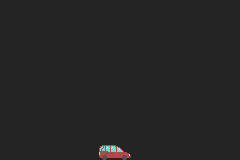
This program creates a 32x16 car sprite and bounces it back and forth on the bottom of the screen.
b start ; first 4 bytes MUST be a branch to the start of the program

@include header.asm ; needs the gba header

palette:
@DCW %0000000000000000 ; remember, the first color in the palette is "transparent"
@DCW %0000000000011111
@DCW %0111111111100000
@DCW %0000001111111111
@DCW %0111111111111111
@DCW %0100001000010000

car_sprite: ; 32x16 sprite (remember: top left corner is (0,0) the positive directions are right and down)
; character in sprite at (0,0)
@DCD 0x00000000
@DCD 0x11111000
@DCD 0x21212110
@DCD 0x21212210
@DCD 0x41221221
@DCD 0x21222121
@DCD 0x21222121
@DCD 0x11111111
; character in sprite at (1,0)
@DCD 0x00000000
@DCD 0x11111111
@DCD 0x22221222
@DCD 0x22421224
@DCD 0x22241222
@DCD 0x22221222
@DCD 0x22221222
@DCD 0x22221221
; character in sprite at (2,0)
@DCD 0x00000000
@DCD 0x00000001
@DCD 0x00000111
@DCD 0x00011212
@DCD 0x00124212
@DCD 0x01242212
@DCD 0x12222212
@DCD 0x22222212
; character in sprite at (3,0)
@DCD 0x00000000
@DCD 0x00000000
@DCD 0x00000000
@DCD 0x00000000
@DCD 0x00000000
@DCD 0x00000000
@DCD 0x00000000
@DCD 0x00000001
; character in sprite at (0,1)
@DCD 0x11111113
@DCD 0x51111113
@DCD 0x11111113
@DCD 0x15551111
@DCD 0x55555111
@DCD 0x55555110
@DCD 0x55555000
@DCD 0x05550000
; character in sprite at (1,1)
@DCD 0x11111111
@DCD 0x11551115
@DCD 0x11111111
@DCD 0x11111111
@DCD 0x11111111
@DCD 0x11111111
@DCD 0x00000000
@DCD 0x00000000
; character in sprite at (2,1)
@DCD 0x11111111
@DCD 0x11111111
@DCD 0x11111111
@DCD 0x11111111
@DCD 0x51111111
@DCD 0x51111111
@DCD 0x50000000
@DCD 0x00000000
; character in sprite at (3,1)
@DCD 0x00001111
@DCD 0x00111111
@DCD 0x04111111
@DCD 0x54111555
@DCD 0x51115555
@DCD 0x55115555
@DCD 0x00005555
@DCD 0x00000555

start:
mov r0,0x4000000 ; I/O and registers

; set up display
mov r1,%1010001000000 ; use background mode 0, use 1-dimensional character mapping, turn on background 2, and enable OBJ screen
strh r1,[r0] ; display control regiser (a.k.a. DISPCNT)

; transfer palette data to OBJ palette RAM
addr r1,palette ; source start address
str r1,[r0,0xD4] ; DMA 3 source address register (0x40000D4)

mov r1,0x5000000
orr r1,r1,0x200 ; destination start address (OBJ palette RAM: 0x5000200. Using palette 0)
str r1,[r0,0xD8] ; DMA 3 destination address register (0x40000D8)

mov r1,(%10000100000 << 21) ; set to use 32-bit transfers and DMA enabled flag
orr r1,r1,3 ; number of 32-bit sections to transfer
str r1,[r0,0xDC] ; DMA 3 control register (0x40000DC)

; transfer sprite data to VRAM OBJ character data
addr r1,car_sprite ; source start address
str r1,[r0,0xD4] ; DMA 3 source address register (0x40000D4)

ldr r1,=0x6010020 ; destination start address (0x6010020. VRAM OBJ character data: 0x6010000. I want the sprite to start at character 1, so I'm starting at 0x20 offset from 0x6010000)
str r1,[r0,0xD8] ; DMA 3 destination address register (0x40000D8)

mov r1,(%10000100000 << 21) ; set to use 32-bit transfers and DMA enabled flag
orr r1,r1,64 ; number of 32-bit sections to transfer
str r1,[r0,0xDC] ; DMA 3 control register (0x40000DC)

; set up the object
mov r1,0x7000000 ; OAM

mov r2,%0100000000000000 ; OBJ 0 attribute 0: y144, 16-color sprite, and horizontal rectangle shape
orr r2,r2,%0000000010010000 ; "
strh r2,[r1] ; OBJ 0 attribute 0 (0x7000000)

mov r2,%1000000000000000 ; OBJ 0 attribute 1: x0, set dimension for 0b10 (in this case, 32x16)
strh r2,[r1,2] ; OBJ 0 attribute 1 (0x7000002)

mov r2,%0000000000000001 ; OBJ 0 attribute 2: start sprite at character 1, use color palette 0
strh r2,[r1,4] ; OBJ 0 attribute 2 (0x7000004)

mainLoop:
; wait for next v-blank
waitForVBlankEnd:
ldrh r2,[r0,0x4] ; LCD status register (a.k.a. DISPSTAT)
tst r2,1 ; test if inside v-blank interval
bne waitForVBlankEnd ; if inside, try again
waitForVBlankStart:
ldrh r2,[r0,0x4] ; DISPSTAT
tst r2,1 ; test if inside v-blank interval
beq waitForVBlankStart ; if not inside, try again

; car move logic
ldrh r2,[r1,2] ; get OBJ 0 attribute 1 (conveniently has both the x-coordinate and the horizontal flip flag)

and r3,r2,%11111111; get the x-coordinate of the car
cmp r3,%11010000 ; check if the car is all the way to the right
orreq r2,r2,%0001000000000000 ; set the horizontal flip flag for the sprite if it is

tst r2,%11111111 ; check if the car is all the way to the left
mvneq r3,%0001000000000000 ; create the bitmask for clearing the vertical flip flag if it is
andeq r2,r2,r3 ; clear the horizontal flip flag for the sprite if it is

tst r2,%0001000000000000 ; check the direction of the car (if the sprite is flipped or not)
addeq r2,r2,1 ; move the car to the right if the sprite is not flipped
subne r2,r2,1 ; move the car to the left if the sprite is flipped

strh r2,[r1,2] ; store the modified OBJ 0 attribute 1

b mainLoop ; loop
This program creates a 32x16 car sprite and bounces it back and forth on the bottom of the screen.
b start ; first 4 bytes MUST be a branch to the start of the program

@include header.asm ; needs the gba header

palette:
@DCW %0000000000000000 ; remember, the first color in the palette is "transparent"
@DCW %0000000000011111
@DCW %0111111111100000
@DCW %0000001111111111
@DCW %0111111111111111
@DCW %0100001000010000

car_sprite_row0: ; 32x16 sprite (remember: top left corner is (0,0) the positive directions are right and down)
; character in sprite at (0,0)
@DCD 0x00000000
@DCD 0x11111000
@DCD 0x21212110
@DCD 0x21212210
@DCD 0x41221221
@DCD 0x21222121
@DCD 0x21222121
@DCD 0x11111111
; character in sprite at (1,0)
@DCD 0x00000000
@DCD 0x11111111
@DCD 0x22221222
@DCD 0x22421224
@DCD 0x22241222
@DCD 0x22221222
@DCD 0x22221222
@DCD 0x22221221
; character in sprite at (2,0)
@DCD 0x00000000
@DCD 0x00000001
@DCD 0x00000111
@DCD 0x00011212
@DCD 0x00124212
@DCD 0x01242212
@DCD 0x12222212
@DCD 0x22222212
; character in sprite at (3,0)
@DCD 0x00000000
@DCD 0x00000000
@DCD 0x00000000
@DCD 0x00000000
@DCD 0x00000000
@DCD 0x00000000
@DCD 0x00000000
@DCD 0x00000001
car_sprite_row1:
; character in sprite at (0,1)
@DCD 0x11111113
@DCD 0x51111113
@DCD 0x11111113
@DCD 0x15551111
@DCD 0x55555111
@DCD 0x55555110
@DCD 0x55555000
@DCD 0x05550000
; character in sprite at (1,1)
@DCD 0x11111111
@DCD 0x11551115
@DCD 0x11111111
@DCD 0x11111111
@DCD 0x11111111
@DCD 0x11111111
@DCD 0x00000000
@DCD 0x00000000
; character in sprite at (2,1)
@DCD 0x11111111
@DCD 0x11111111
@DCD 0x11111111
@DCD 0x11111111
@DCD 0x51111111
@DCD 0x51111111
@DCD 0x50000000
@DCD 0x00000000
; character in sprite at (3,1)
@DCD 0x00001111
@DCD 0x00111111
@DCD 0x04111111
@DCD 0x54111555
@DCD 0x51115555
@DCD 0x55115555
@DCD 0x00005555
@DCD 0x00000555

start:
mov r0,0x4000000 ; I/O and registers

; set up display
mov r1,%1010000000000 ; use background mode 0, use 2-dimensional character mapping, turn on background 2, and enable OBJ screen
strh r1,[r0] ; display control regiser (a.k.a. DISPCNT)

; transfer palette data to OBJ palette RAM
addr r1,palette ; source start address
str r1,[r0,0xD4] ; DMA 3 source address register (0x40000D4)

mov r1,0x5000000
orr r1,r1,0x200 ; destination start address (OBJ palette RAM: 0x5000200. Using palette 0)
str r1,[r0,0xD8] ; DMA 3 destination address register (0x40000D8)

mov r1,(%10000100000 << 21) ; set to use 32-bit transfers and DMA enabled flag
orr r1,r1,3 ; number of 32-bit sections to transfer
str r1,[r0,0xDC] ; DMA 3 control register (0x40000DC)

; transfer sprite data to VRAM OBJ character data
addr r1,car_sprite_row0 ; source start address (row 0)
str r1,[r0,0xD4] ; DMA 3 source address register (0x40000D4)

ldr r2,=0x6010020 ; destination start address (0x6010020. VRAM OBJ character data: 0x6010000. I want the sprite to start at character 1, meaning that the first row starts at 0x20 offset from 0x6010000)
str r2,[r0,0xD8] ; DMA 3 destination address register (0x40000D8)

mov r3,(%10000100000 << 21) ; set to use 32-bit transfers and DMA enabled flag
orr r3,r3,32 ; number of 32-bit sections to transfer
str r3,[r0,0xDC] ; DMA 3 control register (0x40000DC)

addr r1,car_sprite_row1 ; source start address (row 1)
str r1,[r0,0xD4] ; DMA 3 source address register (0x40000D4)

add r2,r2,0x400 ; destination start address (0x6010420. VRAM OBJ character data: 0x6010000. I want the sprite to start at character 1, meaning that the second row starts at 0x420 offset from 0x6010000)
str r2,[r0,0xD8] ; DMA 3 destination address register (0x40000D8)

str r3,[r0,0xDC] ; DMA 3 control register (0x40000DC) (set to use 32-bit transfers and DMA enabled flag. 32 32-bit sections to transfer)

; set up the object
mov r1,0x7000000 ; OAM

mov r2,%0100000000000000 ; OBJ 0 attribute 0: y144, 16-color sprite, and horizontal rectangle shape
orr r2,r2,%0000000010010000 ; "
strh r2,[r1] ; OBJ 0 attribute 0 (0x7000000)

mov r2,%1000000000000000 ; OBJ 0 attribute 1: x0, set dimension for 0b10 (in this case, 32x16)
strh r2,[r1,2] ; OBJ 0 attribute 1 (0x7000002)

mov r2,%0000000000000001 ; OBJ 0 attribute 2: start sprite at character 1, use color palette 0
strh r2,[r1,4] ; OBJ 0 attribute 2 (0x7000004)

mainLoop:
; wait for next v-blank
waitForVBlankEnd:
ldrh r2,[r0,0x4] ; LCD status register (a.k.a. DISPSTAT)
tst r2,1 ; test if inside v-blank interval
bne waitForVBlankEnd ; if inside, try again
waitForVBlankStart:
ldrh r2,[r0,0x4] ; DISPSTAT
tst r2,1 ; test if inside v-blank interval
beq waitForVBlankStart ; if not inside, try again

; car move logic
ldrh r2,[r1,2] ; get OBJ 0 attribute 1 (conveniently has both the x-coordinate and the horizontal flip flag)

and r3,r2,%11111111; get the x-coordinate of the car
cmp r3,%11010000 ; check if the car is all the way to the right
orreq r2,r2,%0001000000000000 ; set the horizontal flip flag for the sprite if it is

tst r2,%11111111 ; check if the car is all the way to the left
mvneq r3,%0001000000000000 ; create the bitmask for clearing the vertical flip flag if it is
andeq r2,r2,r3 ; clear the horizontal flip flag for the sprite if it is

tst r2,%0001000000000000 ; check the direction of the car (if the sprite is flipped or not)
addeq r2,r2,1 ; move the car to the right if the sprite is not flipped
subne r2,r2,1 ; move the car to the left if the sprite is flipped

strh r2,[r1,2] ; store the modified OBJ 0 attribute 1

b mainLoop ; loop

This program uses the same frog sprite as in the Frog Sprite example, but scales it up 1.5x and rotates it -30° (notice how, because y is flipped from a normal xy-plane, it rotates in the opposite direction). (This example also uses 2D mapping, but that's just beacause I wanted to save a few bytes).
b start ; first 4 bytes MUST be a branch to the start of the program

@include header.asm ; needs the gba header

palette:
@DCW %0000000000000000 ; remember, the first color in the palette is "transparent"
@DCW %0000001111100000
@DCW %0000001100000000
@DCW %0000000000000000

sprite:
@DCD 0x00000000
@DCD 0x00000000
@DCD 0x01110000
@DCD 0x13112110
@DCD 0x11111111
@DCD 0x02111221
@DCD 0x01002111
@DCD 0x11011110

start:
mov r0,0x4000000 ; I/O and registers

; set up display
mov r1,%1010000000000 ; use background mode 0, use 2-dimensional character mapping, turn on background 2, and enable OBJ screen
strh r1,[r0] ; display control regiser (a.k.a. DISPCNT)

; transfer palette data to OBJ palette RAM
addr r1,palette ; source start address
str r1,[r0,0xD4] ; DMA 3 source address register (0x40000D4)

mov r1,0x5000000
orr r1,r1,0x200 ; destination start address (OBJ palette RAM: 0x5000200. Using palette 0)
str r1,[r0,0xD8] ; DMA 3 destination address register (0x40000D8)

mov r1,(%10000100000 << 21) ; set to use 32-bit transfers and DMA enabled flag
orr r1,r1,2 ; number of 32-bit sections to transfer
str r1,[r0,0xDC] ; DMA 3 control register (0x40000DC)

; transfer sprite data to VRAM OBJ character data
addr r1,sprite ; source start address
str r1,[r0,0xD4] ; DMA 3 source address register (0x40000D4)

ldr r1,=0x6010020 ; destination start address (0x6010020. VRAM OBJ character data: 0x6010000. I want the sprite to start at character 1, so I'm starting at 0x20 offset from 0x6010000)
str r1,[r0,0xD8] ; DMA 3 destination address register (0x40000D8)

mov r1,(%10000100000 << 21) ; set to use 32-bit transfers and DMA enabled flag
orr r1,r1,8 ; number of 32-bit sections to transfer
str r1,[r0,0xDC] ; DMA 3 control register (0x40000DC)

; set up the object
mov r0,0x7000000 ; OAM

mov r1,%0000001101000000 ; OBJ 0 attribute 0: y64, rotation and scaling enabled, double-size enabled, 16-color sprite, and square shape
strh r1,[r0] ; OBJ 0 attribute 0 (0x7000000)

mov r1,%0000000010000000 ; OBJ 0 attribute 1: x128, use matrix 0 for rotation and scaling, set dimension for 0b00 (in this case, 8x8)
strh r1,[r0,0x2] ; OBJ 0 attribute 1 (0x7000002)

mov r1,%0000000000000001 ; OBJ 0 attribute 2: start sprite at character 1, use color palette 0
strh r1,[r0,0x4] ; OBJ 0 attribute 2 (0x7000004)

; set up the transformation matrix
mov r1,%0000000010010011 ; (2/3) * cos(-pi/6) = ~147/256
strh r1,[r0,0x6] ; M0A

mvn r1,%0000000001010100 ; (2/3) * sin(-pi/6) = ~-85/256
strh r1,[r0,0x0E] ; M0B

mov r1,%0000000001010101 ; (2/3) * -sin(-pi/6) = ~85/256
strh r1,[r0,0x16] ; M0C

mov r1,%0000000010010011 ; (2/3) * cos(-pi/6) = ~147/256
strh r1,[r0,0x1E] ; M0D

; infinite loop
loop:
b loop